Zazzle Shop

Screen printing
Showing posts with label android. Show all posts

Tuesday, October 25, 2011

5 reasons why I’m ditching Android for an iPhone


I’ve been the owner of an Android smartphone since February 2010. Admittedly, I got the phone because I am a Verizon Wireless customer and the Apple iPhone wasn’t available at the time. Based on my experience, I can honestly say that when I am eligible for a phone upgrade I’m getting an iPhone. Here are top reasons why I’m switching:

1. Upgrading the Android OS  depends on the phone’s model and manufacturer
I can’t tell you how annoying it was to buy an Android phone with the promise of an OS upgrade around the corner only to find out later that Motorola decided not to move forward with it. iPhone owners have at least some promise of upgrades for iOS, though, admittedly as iPhones get older it is understandable there won’t be further upgrades for earlier generations.

The lack of an Android OS upgrade for your phone means you won’t be able to download certain Android Market applications because they don’t support earlier versions of the operating system. So, once your manufacturer decides they’re done, so are you when it comes to getting certain Android apps. In my case (Motorola Devour), I can’t even download the Twitter client for Android.

2. Lack of standard DRM solution
Netflix has been offered for iPhone for some time now. So, many have been wondering why a Netflix client for Android hasn’t come along yet. The simple answer has been that there is no standard implementation in Android to handle digital rights management (DRM) which would allow Netflix to stream movies and television shows with the confidence that they won’t somehow be copied. Netflix is contractually obligated to secure its streams with DRM by content providers. We reported on this issue in November of last year, and the best Netflix could offer was that some Android phones would get a Netflix client this year, but that was going to depend on the manufacturer.

3. iPhone offers better OS stability
Macs have earned the reputation of being reliable and not as vulnerable to lock-ups and crashes. There’s a simple reason for this: When Apple updates the Mac OS X operating system it knows what hardware configuration it is going to run on because it controls the hardware as well. As much grief as Microsoft gets over Windows instability, that instability is understandable when you consider the numerous variations of hardware that could run the OS.


The iPhone shares the same benefit as the Mac in that Apple produces both the OS and the hardware. My experience with Android has been similar to my experience with Windows. I feel I shouldn’t have to deal with reboots and lock-ups on my mobile phone, especially if I might need it in an emergency situation. Undoubtedly, since Android must work on a number of hardware configurations your OS experience is going to be tied to the phone you purchase. I’d prefer a safer bet in which the creator of the OS and the hardware is the same company.

4. The iPhone gets applications first
As an Android user I am sick and tired of playing second fiddle to the iPhone. It seems the iPhone is always getting applications before they eventually end up on Android OS. There’s a simple reason for this that I previously alluded to. When creating applications for the iPhone developers know that there are a limited number of hardware configurations they have to consider. When it comes to Android there are countless configurations which could interfere with the performance of the app.

A great example of what a headache it is to deal with developing for Android is the experience the creators of Angry Birds had. As with other applications, they launched on the iPhone first and eventually ported it over to Android. They did their best to offer the app for as many Android devices as possible, but in the end they ran into performance issues which had to be addressed. Having an Android phone is no guarantee you are going to be able to run an Android app. It seems when it comes to the iPhone you are going to be less likely to run into such a situation.

5. The iPhone leads and everyone follows
Besides being first to receive apps, the iPhone also seems to lead the way when it comes to functionality for smartphones. The iPhone 4, for example, was launched with dual cameras to allow for the use of FaceTime video conferencing app. It wasn’t the first phone to do this, but it made video calling something people expect from a phone and something people actually use. The iPhone 4 also brought things like a high pixel density display and HDR images.

While the iPhone isn’t always the first to put out features or technology, it’s often the first to do things well and the device that everyone else has to catch up with.

In Summary
With all that being said, I will be the first to admit that the iPhone isn’t for everyone, especially folks that like more freedom in what applications they run on their smartphone. Android’s ability to install applications not downloaded via the Android Market has been great, and I can see where some people wouldn’t want to give this up only to be locked into the App Store. I will also say that I am sure there are folks out there with Android phones that don’t get lock-ups and don’t need to reboot often. Some phone have offered an update to Android OS and pack better specs than I (and many other Android users) have experienced.

For me personally, it comes down to the fact that I want to simplify my life when it comes to my smartphone. I prefer the hardware and the OS to be created by the same company because logically the performance should be better. I also prefer not to have to wait for applications to come out–I’d like to get them on the iPhone first.

Ultimately, everyone will have to make their own decision in regards to what smartphone is right for them. For me, there’s an iPhone in my future.
[Android image - laihu]

Wednesday, October 19, 2011

Android 4.0 Ice Cream Sandwich now official, includes revamped design, enhancements galore

By
Google has taken the stage in Hong Kong to make the next version of Android OS, nicknamed Ice Cream Sandwich, a thing of reality. Better known as Android 4.0, the update offers a massive redesign to the user interface and adds a plethora of new features. Some of the highlights include an NFC-enabled feature called Android Beam, offline search in Gmail, new lock screen features and a fancy unlocking method called "Face Unlock," which uses facial recognition to ensure strangers can't use your phone without permission. Ice Cream Sandwich also includes enhancements in almost every native app within Android itself. The SDK is already available for Android 4.0, and the update itself will make its first public appearance on the Samsung Galaxy Nexus, also unveiled tonight. After the break, we'll cover all of the nitty gritty details, along with some excellent screenshots below. So come along, why won't you?
Here's some of the enhancements found in Ice Cream Sandwich:
  • Option to use virtual buttons in the UI, instead of taking up capacitive touch buttons
  • Widgets are in a new tab, listed in a similar list to apps
  • Folders are much easier to create, with a drag-and-drop style similar to iOS
  • A customizable launcher
  • New phone app with visual voicemail functionality that lets you speed up or slow down voicemail messages
  • Pinch-to-zoom functionality in the calendar
  • Gmail has offline search, a two-line preview, and new action bar at the bottom
  • Swipe left or right to switch between Gmail conversations
  • Integrated screenshot capture by holding power and volume down buttons
  • Improved error correction on the keyboard
  • Ability to access apps directly from lock screen (similar to HTC Sense 3.x)
  • Improved copy and paste
  • Better voice integration
  • Face Unlock, a facial recognition service
  • New tabbed web browser, allowing up to 16 tabs
  • Browser now automatically syncs your Chrome bookmarks
  • Modern "Roboto" font
  • Data Usage section in settings lets you set warnings when you reach a certain amount of use and disabling data when you go over your limit
  • Ability to kill off apps that are using data in the background
  • Camera app: zero shutter lag, time lapse settings, zoom while recording
  • Built-in photo editor
  • New gallery layout, organized by location and person
  • Refreshed people app with social network integration, status updates and hi-res images
  • Android Beam, a NFC feature that lets you exchange websites, contact info, directions, YouTube, etc.
  • Don't like some of those preloaded carrier apps? Disable 'em. Android Engineer Dan Morrill mentions that, among other new features, any app can be disabled, and while it will still take up space in ROM, it won't be snatching any of your precious resources or clock cycles again if you don't want it to.

Motorola Unveils Droid Razr, World’s Thinnest Smartphone

Motorola has unveiled its newest smartphone, the Droid Razr, calling it the “world’s thinnest 4G smartphone.”

The phone is 7.1mm thin, features an 8 MP rear camera, and has a 1.2 GHz processor and 1 GB of RAM. It has a 4.3-inch super AMOLED advanced QHD display and is powered by Android Gingerbread.

“Droid Razr by Motorola combines style, performance and the power of Verizon Wireless’s 4G LTE network into one innovative device,” said Marni Walden, vice president and chief marketing officer for Verizon Wireless, in a statement. “These are two iconic brands that separately symbolize the best technology available today. The combination will provide an unsurpassed wireless experience for customers.”
SEE ALSO: Motorola Droid Razr: First Impressions [PICS & VIDEO]
 
The device will be available in early November for $299.99 with a new two-year Verizon contract.
Motorola revealed the new phone at a joint event with Verizon in New York City Tuesday afternoon. You can follow along with the rest of the event here.

Tuesday, October 18, 2011

iPhone 4S Crushes Android Phones in Web Browsing Benchmark Results

iPhone 4S With Siri In case you haven't heard, Apple's new iPhone 4S was released today. The phone is powered by Apple's new dual-core A5 chip, which Apple claims can deliver up to two times more power and seven times faster graphics performance than the iPhone 4.

We'll have a full review of the phone up shortly, but first we wanted to put the 4S through a series of benchmark tests to see how it stacks up against the competition. Take a look at the charts below, which illustrate how the iPhone 4S compares to previous generations of the iPhone, as well as some head-to-head Web performance benchmarks, against current PCMag Editors' Choice smartphones on AT&T, Sprint, and Verizon.

In short, these benchmarks tell us that the iPhone 4S is the fastest iPhone so far, and the fastest smartphone in general for Web browsing.

iPhone 4S Benchmarks 1
iPhone 4S Benchmarks 2
Looking at the system performance benchmarks, the iPhone 4 tops out at just over half the performance level of the new 4S. GeekBench, an overall system performance benchmark, shows the iPhone 4 running iOS 5 scoring 383, as compared to 617 on the 4S. GLBenchmark 2.1 Egypt High, a graphics benchmark, shows an even greater difference, with the iPhone 4S besting the iPhone 4 by more than 500 percent.

While the iPhone 3GS shows a higher number for graphics performance than the iPhone 4, that's because the screen resolution on the 3GS is significantly lower than the screen resolution on the iPhone 4. Taking that into account, graphics performance on the iPhone 4 is still twice as fast as the 3GS, though both are easily eclipsed by the 4S.

The 4S wins out on Web performance as well, but there's something interesting happening here if you look closely. An iPhone 3GS running iOS 5 scored significantly better on the Web benchmarks than an iPhone 4 running iOS 4. Even though the iPhone 4 is the more powerful of the two devices, this difference shows us that iOS 5 delivers a significant boost to Javascript performance. So if you're using an iPhone 4 or an iPhone 3GS, make sure to update your device to iOS 5.

Compared to the latest and greatest Android devices, the iPhone 4S is still tops for Web browsing. It scored significantly better than the Motorola Droid Bionic on Verizon, the Motorola Photon on Sprint, and the Samsung Galaxy S II on AT&T. But again, these benchmarks aren't completely what they seem.

Honeycomb-based tablets like the Samsung Galaxy Tab 8.9, for instance, score Web performance benchmarks very much similar to the iPhone 4S. And hardware-wise, the Galaxy Tab is using a processor similar to the Samsung Galaxy S II on AT&T. This shows us that Honeycomb is better-optimized for Web performance than Gingerbread, the latest version of Android available for smartphones.

All of this is likely to change next week, when Google unveils "Ice Cream Sandwich", the latest version of Android for smartphones and tablets. This update will likely include the Web performance improvements in Honeycomb and bring them to smartphones, which will result in better scores.

But whether or not that happens remains to be seen, and Ice Cream Sandwich will likely not be available as an update for most Android phones for a while. So for now, if you're looking for the best iPhone, or the fastest Web browsing experience on a smartphone, the iPhone 4S is the phone to get.
For more, see PCMag's full review of the iPhone 4S and the slideshow below.

Tuesday, October 11, 2011

AT&T Reveals Five New Android Smartphones


by
from http://mashable.com/

The folks at AT&T weren’t kidding when they announced plans to introduce 12 Android devices this year. The company just unveiled five Android smartphones, which brings AT&T’s total Android lineup to 19.

The new smartphones are Motorola Atrix 2, Samsung Captivate Glide, Samsung DoubleTime, Pantech Pocket and AT&T Avail (pre-paid customers).

Leading the pack is the powerful Motorola Atrix 2, with a 4.3-inch, 960×540 (qHD) screen, 1 GHz dual-core CPU, 1 GB of RAM, a 8-megapixel camera capable of full HD video capture and an additional camera for video chat.

Samsung Captivate Glide, as its name suggests, has a side-slide QWERTY keyboard. It also packs decent specifications: a 4-inch, 480×800 Super AMOLED screen, a 1 GHz dual-core Nvidia Tegra 2 CPU, 1 GB of RAM, and two cameras, a 1.3-megapixel one at the front and a full HD 8-megapixel one at the back.

Both devices support AT&T’s HSPA+ fast data transfer standard and both are running Android 2.3.

The Pantech Pocket is a mid-range device running Android 2.3, with a 1 GHz CPU, a 4-inch screen, a 5-megapixel camera. To like it, you’ll have to appreciate its form, as the device’s dimensions are 114.7 mm x 7 8mm x 11.3 mm, which makes it a lot wider than most candy bar phones.

Samsung DoubleTime is a device for those who want something different. Its specifications are nothing to write home about — a 600 MHz CPU, 3.2-inch screen and Android 2.2 — but its candy bar form opens to reveal a second 3.2-inch screen and a full QWERTY keyboard.

Finally, the AT&T Avail is for those that don’t like contracts (the other pre-paid smartphone in AT&T’s roster is LG Thrive). It’s a fairly standard candy bar mid-range smartphone, with Android 2.3, a 3.5-inch screen, a 5-megapixel camera and 512 MB of RAM.

Pricing and availability is unknown at this point, but we can expect all five devices to hit the market in 2011.


Friday, October 7, 2011

Nuance to buy Swype for $100 million, report says

Swype lets you compose words by continuously dragging your finger from letter to letter instead of individually pecking at each key.

(Credit: Sarah Tew/CNET)

Nuance Communications is spending $100 million to acquire Swype, the company behind one of the most popular alternative keyboards for Android devices, according to an Uncrunched report that cited unidentified sources.

Representatives for Nuance and Swipe did not immediately respond to requests for comment.

Swype, founded in 2002 by Cliff Kushler, the inventor of the T9 keyboard technology for numeric keypads, is a text-input technology for touch-screen laptops and smartphones that utilizes swipes across the keyboard instead of tapping on the keys. The Seattle-based company, which has about 80 employees, expects its technology to be preloaded on 100 million devices worldwide by the end of the year.

Nuance, which dominates the voice dictation business for Windows, ventured into the mobile market in 2010 by releasing Dragon Dictation and Dragon Search for iPhone users.

Swype announced in July that it had raised $2.5 million in series C financing from existing investors Samsung Ventures, Nokia Growth Partners, Benaroya Capital, Docomo Capital, and Ignition Partners, bringing the company's total series C financing to $6 million.


Thursday, July 28, 2011

10 Android Apps Every Traveler Should Use

By Umar Anjum

  Advertisement
Time is a very important thing for every traveler whether he is on vacations or a business trip. This is because the more time you spend on looking for directions, the less time you will have to visit other places and meetings. For all those who use Android can now get rid of this problem. We have gathered a list of 10 excellent Android Apps that can help travelers keep track of the places they visited, how much money they spent and lots more.

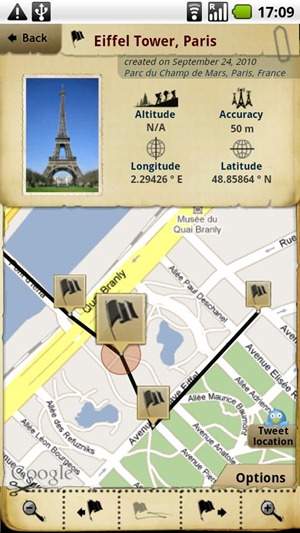
TripJournal

Trip Journal is another excellent android app which helps users record their trips and share them with their friends. With Trip Journal, users can record the places you visited, take photos and videos, integrate different social networks and much more.
trip-journal

Waze

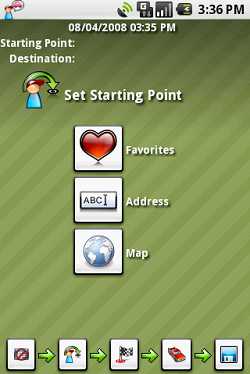
Waze is a free navigation application which uses real time reports based on the live conditions of the road. With Waze, users can even share road reports on accidents, police traps, or any other hazards along the way, helping to give other users in the area a ‘heads-up’ about what’s to come.
waze

PiggyBack

PiggyBack is a ridesharing application for Android smartphones which helps then share car related expenses with other users in order to save resources and reduce carbon footprints. If you are using Piggyback, you can either pickup other users near you to reduce your costs or you can be a passenger and share ride with some other person.
piggyback

My Trip Recorder

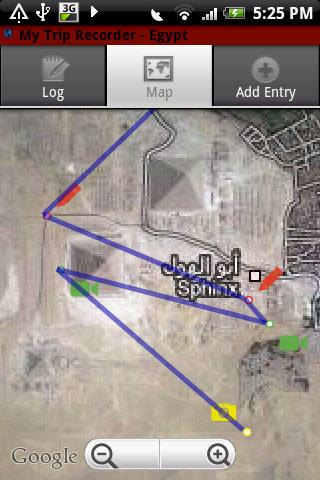
With My Trip Recorder, travelers can capture different events on the go and share them with your friends. You can make photo, text, and video entries and My Trip Recorder will log them by date and location. You can then upload them to your trip site at mytriprecorder.com and share it with your friends.
mytriprecorder

Maverick

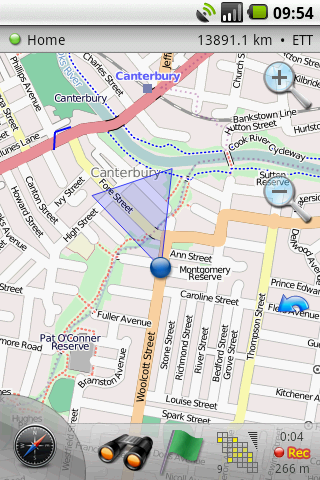
Maverick is an off road GPS navigation application with offline maps support, compass and track recording. With Maverick app, users can automatically use Bing, Google and many other Maps, and they are cached so that they can be used offline, share your current position, navigate to different places easily and much more.
maverick

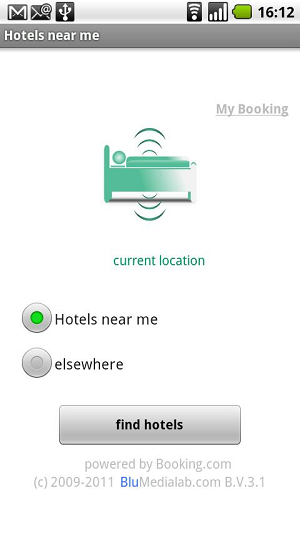
HotelsNearMe

With HotelsNearMe, travelers can find the best hotel deals around the globe on their android smartphone. You can search from a massive library of around 135,000+ in 101 countries.
hotels

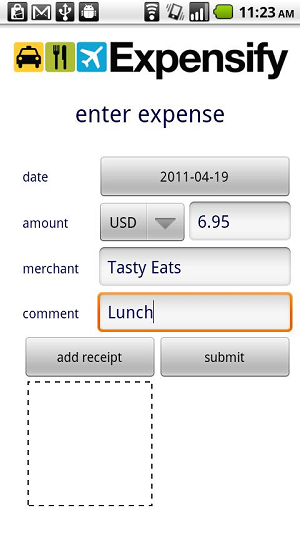
Expensify

Expensify is a useful android application for android users which helps travelers manage their expenses and receipts anywhere you go. Travelers can easily import receipts from their credit cards and convert them to PDF so that it can be saved online.
expensify

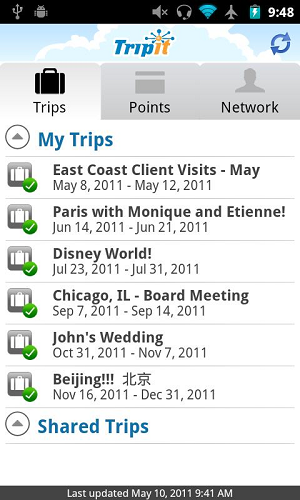
TripIt

With TripIt, users can manage their travel plans, itineraries, track flights and share your travel plans with the rest of your team. You can get instant access to the entire trip planning information you might need while you’re traveling, even when you can’t connect to the Internet.
tripit

FlightTrack

With FlightTrack, get real time flight status and map tracking from airlines all over the world. It reminds you about the status of flights and the time when you must be at the airport.
flighttrack

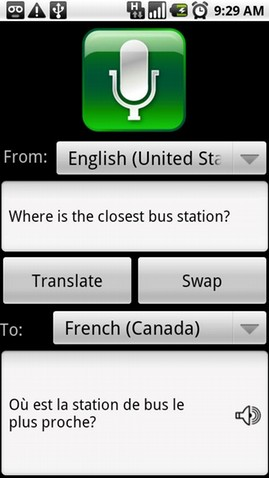
Talk to Me

Talk To Me is an excellent speech recognition application for Android smartphones. You can translate into 7 different languages including English, Spanish, French, German, Italian, Spanish, Chinese and Japanese. Translation can even be sent via SMS and email as well.
talktome


Monday, July 11, 2011

Google to Stabilize Video for Google Talk on Android

by
From: http://mashable.com/


A common problem with video chatting using tablets is shaky video. Now Google has selected SRI International to embed its video stabilization software inside the Google Talk app in Android 3.0 devices, promising to smooth out those jittery video transmissions from front-facing cameras on Android smartphones and tablets.

The Menlo Park-based nonprofit SRI International, formerly associated with Stanford University and responsible for the invention of the computer mouse in 1964, has been working on this stabilization software since the early 1990s. Now, Android tablets are fast enough to allow the software to perform its magic in real time.

The software works by identifying the user’s face, stabilizing that video before it’s compressed for transmission. There’s an added benefit to that steady shot — the video is easier to compress because there’s less movement involved, making the picture look sharper with less video noise.

So far, this video stabilization is only available for Google Talk with Android 3.0 installed. There are stabilization apps for the iPhone and iPad (such as SteadyCam Pro, which we favorably reviewed), but they don’t yet work in real time, a necessity for live chatting.
[via Ubergizmo]

Graphic courtesy SRI International

Wednesday, July 6, 2011

Motorola DROID 3 Images Surface Before Launch

By Sanjeev Ramachandran
From http://www.devicemag.com/

The DROID continues its run on the rumor wagon, even as the release of its newest member, DROID 3, is round the bend. First on the cards is a bunch of leaked images of the DROID 3, which was fished out from Verizon’s site by the guys at Droid-Life.

Motorola DROID 3 Images Surface Before Launch

You can see from the screenshots the front and back of the DROID 3 and if that’s not enough for you, a 360 view of the device can be found here.And that’s not all. Droid-Life has also nabbed a 70 page long user guide of the phone. You can download the manual here.

The lack of 4G LTE connectivity is a blow that, we guess, we can outlive. The presence of a physical keyboard on an Android device is what pleases us most.

Specifications wise, we expect to see a dual-core 1GHz TI OMAP 4430 processor powered phone running the Android 2.3 beneath the “Motorola Application Platform”.

The D3 packs a 4-inch 540×960 qHD display, 8-megapixel camera with LED flash and 1080p video capture and a front camera for video chatting. The device doesn’t come with a preinstalled microSD card, but you can find preloaded apps like VZ Navigator, Blockbuster, and V CAST Music and Video.

On the whole, the package does seem to be a welcome upgrade from the DROID family. We have heard no statements regarding the price, but since the launch is impending, we expect to update you soon.

Thursday, June 9, 2011

Smartphone OS Preview: iOS 5 vs. Android 2.3 Gingerbread vs. Windows Phone 7 Mango vs. Blackberry 7 OS

iOS 5 wowed the friendly WWDC crowds, but how will it fare in the real world when it releases this fall? We pit iOS 5 against its likely competitors, and the results may surprise you.
 
iOS 5 Sure, Lion and iCloud are big news, but, for the millions of iPhone users out there, the real news at the center of the Apple's WWDC conference was iOS 5, equipped with cutting-edge (though, in some cases, strangely familiar) notifications, messaging, and cable-free connectivity. These goodies—and hundreds of other (unspecified) features—now available in developer release, won't appear until the fall, perhaps at the same time as a new iPhone. It seems like just about all the competition –Android, Windows Phone 7, and BlackBerry—will be releasing new versions between now and then, too.

Using Apple's release as the baseline, I've pulled out 13 of the most exciting new features of iOS 5. The iPhone—and iOS 5—will face three popular challengers this fall. Each of these contenders will a bit sprier by the iOS 5 debut: Microsoft will deliver Windows Phone 7 Mango in Q4; Blackberry OS 7 also ought to be available; and Android 2.3 Gingerbread will be ubiquitous, with Android 3.1 Ice Cream should be served up for the holidays. How will iOS stack up?

Apple review, Apple commentary, Apple news... Everything Apple
Below I've charted the results as simply as I can, but be advised there are nuances to particular comparisons. For example, in call cases there are plenty of third-party apps that may fill in gaps. Furthermore, when it comes to Android, OEMs tend to skin the phones (albeit with mixed results), often adding additional functionality to the stock version of Android. In order for any sort of comparison to work, I'm looking at what you get out of the box on stock versions of each mobile OS. Check out the table first, and then take a look at my explanations of each category and the caveats that go with it.

Smartphone OS preview: iOS 5 vs. Android 2.3 Gingerbread vs. Windows Phone 7 Mango vs. Blackberry 7

Notifications
When it comes to unified notification systems, Apple's newly-minted Notification Center bares quite a resemblance to that of Android. As with Android, you can both access notifications from the lock screen or, when using the phone, pull down a tray of notifications from the top of the screen. Blackberry simply pins updates to the home screen. Finally, Windows 7 Mango uses live tiles, which is a bit less unified, but considerably more flexible (I gave it the "check" on account of said flexibility).

Phone-to-Phone Messaging
Apple is clearly watching its competitors. The iOS phone-to-phone messaging system, iMessage, looks a lot like Blackberry Messenger. So much for that iOS app.
Newspaper/Magazine Subscriptions
Apple is leading the way into the print subscription market, though it remains to be seen how much users will appreciate reading the New Yorker on the iPhone, as opposed to an iPad.

Advanced Reminder System
All four mobile platforms allow users to set basic reminders, but no one can touch the iOS Reminders tool on account of its geo-fencing location-based notifications.
System-Wide Twitter Integration
The one third-party software with which iOS consistently integrates is Twitter. Because it's built into the system, once you sign-in, you ought to be able to Tweet from just about anywhere on your phone. The forthcoming release of Window Phone 7 does this and a step better—it includes deep Facebook integration. Finally, while Twitter can appear in the Android Gallery, you must install the app first—so it's not integrated out of the box.

Quick-Camera Access
If you're using your mobile phone as your camera—as more and more people are beginning to do, for better or worse—quick access counts. Both Windows 7 Mango and iOS 5 let users jump directly into camera mode from the lock screen. iOS 5 goes a step further and lets you snap photos without entering a passcode (if you have one). Blackberry does allow users to map a side button to launch a camera, but unfortunately you'll still need to unlock your device.
Photo Editing Tools
Photo Editing Tools
When it comes to photo editing on the go, iOS 5 is a clear winner out of the box. While Android allows some editing (crop and rotate), iOS goes a step further (crop, edit, red eye reduction, composition controls, and auto-enhance).

Tabbed Browsing
Considering how many great browsers are available for Android, it continues to baffle the mind as to why Google hasn't added tabs into its stock browser through an incremental update. Now that Safari has tabs, Android remains the odd-man out.
Reader View
Reader View
Because Apple has essentially rolled Instapaper into Safari Mobile, iOS has a clear edge over the competition when it comes to clutter-free web reading. Add the cloud-based Reading List and it looks even better.

Rich Text Email
When it comes to composing HTML email all mobile OSes except Android rise to the occasion. That said, Android does allow users to receive formatted mail.

PC-Free Setup, Updates
Desktop-free setup and updates is one area where Apple played serious catch up with iOS 5. It now joins all the other platforms in the (sort of) post-PC world. One caveat: remember how Apple used to make you download 400-megabyte files for an incremental update? Now that Apple is rolling out delta updates, all that you'll need to download is what has changed from one version of iOS to the next. Now that you're wireless—and probably on a tiered plan—that could spare you a significant cellular bill.

Wi-Fi Sync
Wireless synchronization is another area where iOS has lagged behind the competiton—except for Google. That said, what Apple has finally delivered is quite powerful: Everything in your iTunes library—including photos and video—can sync over the area. In this respect, iOS Wi-Fi sync tops Blackberry, which handles music, but not video.
Online Gaming Community
Game Center already looked great, but it's even better now that you can download and review games without leaving. The only service that rivals game center is Microsoft's Xbox Live. However, when it comes to actually finding games to play, Apple has the liveliest marketplacee, for the time being.

The Best Smartphone OS?
Any judgement will have to wait until we actually get our hands on the OSes in question and test them out on real-live phones. And it's also worth noting that our feature set for this comparison is pretty heavily influenced by Apple's WWDC presentation. Still, judging by what we know so far, it's clear that Apple's iOS 5 looks to be the smartphone OS to beat this fall.
Arrow Full Apple Product Coverage
http://go.pcmag.com/apple
Arrow

Friday, April 15, 2011

Amazing Japanese Commercial: Android phone, Touch Wood CH-08C

youtube.com — To advertise its latest Android phone, the Touch Wood CH-08C, which has a wooden back, Japanese telco NTT DoCoMo built a giant xylophone in a forest to play a tune.


Uploaded by on Mar 10, 2011
ドコモのサイトでステキな映像発見。

TOUCHWOOD SH-08C
http://answer.nttdocomo.co.jp/touchwood/

Thursday, March 24, 2011

First glasses-free 3D smartphone arrives on AT&T

By Raymond Wong
From: http://dvice.com/

First glasses-free 3D smartphone arrives on AT&T

Here we go. It's smartphone season and everybody's going for dual-core this and four-inch screen that. This puppy right here is taking a page from Nintendo's 3DS — the LG Thrill 4G will be the first U.S. smartphone to boast a glasses-free 3D screen.

It's been a big wave this week for AT&T, but luckily for fans of LG and Android the Thrill 4G will be landing. The Thrill 4G's main attraction is obviously its glasses-free 3D 4.3-inch screen and dual 5-megapixel cameras capable of shooting 3D photos and high definition 720p video. If 3D is not your cup of tea, 2D recording will top out at full HD 1080p resolution.

Under the hood you'll find a dual-core 1GHz processor, 8GB of internal storage and an included 16GB microSD card. As its name implies, the Thrill 4G will also be a 4G smartphone with which you can expect blazing download and upload speeds.

Pricing and availability have yet to be announced, with AT&T only hinting at a release in the coming months, but overall the Thrill 4G sounds like a slick and powerful smartphone. What do you think? Does glasses-free 3D have a better chance at surviving than regular 3D that require glasses?

Update: Check out our hands-on with the Thrill for more, as well as our coverage of the Thrill's main contender, Sprint and HTC's EVO 3D

Thursday, February 24, 2011

How your smartphone's GPS can get out of a speeding ticket


AOL Original Content by Damon Lavrinc
from: http://translogic.aolautos.com/

Motorola Droid with MyTracks App

We've all have that friend-of-a-friend-of-a-friend who fought the law over an erroneous speeding ticket, but do you know anyone who's put their smartphone on the stand to prove their innocence? Well, you do now.

Sahas Katta got clocked by a cop doing over 40 in a 25 mph zone. He handed over his info and signed the ticket, but then remembered he was running Google MyTracks on his Motorola Droid. For the uninitiated, MyTracks is an Android app that uses the phone's GPS to record and plot where the user has travelled, allowing you to log a jog, bike ride or drive. After looking at the data and doing some research, Katta discovered that he never crested the 25 mph speed limit and decided to fight the ticket.

You can read the entire account over at SkatterTech, but for the tl;dr crowd, the cop didn't know the last time he went through radar training, when the gun was serviced or the unit's model number. OutFrontKatta then busted out the GPS data from his Droid, and after reviewing the evidence and Katta's clean driving record, the judge let him off. Granted, he may have just gotten lucky thanks to a uninformed judge and a hapless cop, but the results all the same. Lesson learned. You can download MyTracks here.

If you're not equipped with one of the dozens of Android-powered smartphones on the market, you've got a few alternatives. For the iPhone crowd, there are a myriad of GPS-tracking apps on the market, including the OutFront and myTracks (no relation to the Google-developed app). If you're packing a new Windows Phone 7 device, the pickings are slightly slimmer, but Marathon is porting over its popular Windows Phone 6 app to the new mobile OS and has included several social features into its updated app. TrackSpace and MojoTracker appears to be the best solution for Palm/HP WebOS devices and for those using a Nokia smartphone SportsTracker looks like the best bet.

Check out a videos demos below to get a taste of of OutFront and Marathon, and submit your own selections in the comments below.


[Source: SkatterTech]