Zazzle Shop

Screen printing
Showing posts with label apps. Show all posts

Thursday, July 28, 2011

10 Android Apps Every Traveler Should Use

By Umar Anjum

  Advertisement
Time is a very important thing for every traveler whether he is on vacations or a business trip. This is because the more time you spend on looking for directions, the less time you will have to visit other places and meetings. For all those who use Android can now get rid of this problem. We have gathered a list of 10 excellent Android Apps that can help travelers keep track of the places they visited, how much money they spent and lots more.

TripJournal

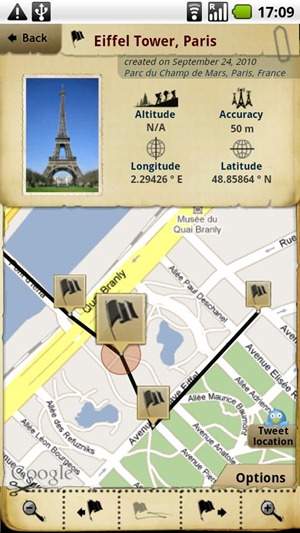
Trip Journal is another excellent android app which helps users record their trips and share them with their friends. With Trip Journal, users can record the places you visited, take photos and videos, integrate different social networks and much more.
trip-journal

Waze

Waze is a free navigation application which uses real time reports based on the live conditions of the road. With Waze, users can even share road reports on accidents, police traps, or any other hazards along the way, helping to give other users in the area a ‘heads-up’ about what’s to come.
waze

PiggyBack

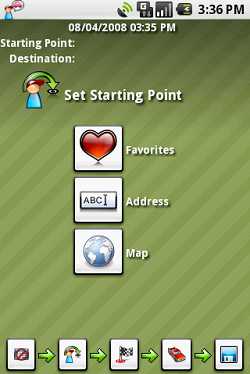
PiggyBack is a ridesharing application for Android smartphones which helps then share car related expenses with other users in order to save resources and reduce carbon footprints. If you are using Piggyback, you can either pickup other users near you to reduce your costs or you can be a passenger and share ride with some other person.
piggyback

My Trip Recorder

With My Trip Recorder, travelers can capture different events on the go and share them with your friends. You can make photo, text, and video entries and My Trip Recorder will log them by date and location. You can then upload them to your trip site at mytriprecorder.com and share it with your friends.
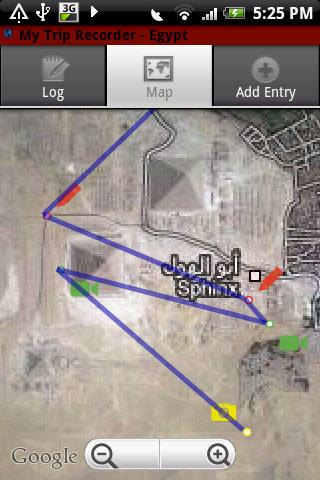
mytriprecorder

Maverick

Maverick is an off road GPS navigation application with offline maps support, compass and track recording. With Maverick app, users can automatically use Bing, Google and many other Maps, and they are cached so that they can be used offline, share your current position, navigate to different places easily and much more.
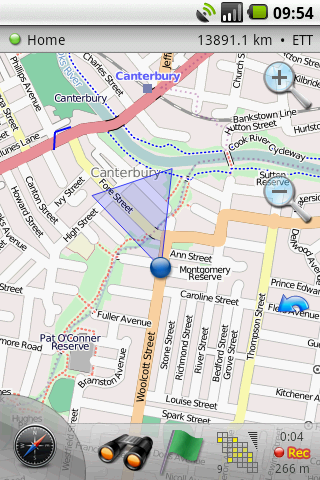
maverick

HotelsNearMe

With HotelsNearMe, travelers can find the best hotel deals around the globe on their android smartphone. You can search from a massive library of around 135,000+ in 101 countries.
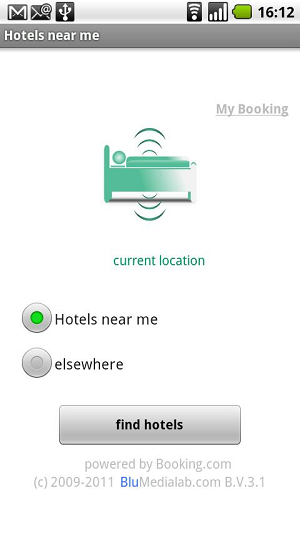
hotels

Expensify

Expensify is a useful android application for android users which helps travelers manage their expenses and receipts anywhere you go. Travelers can easily import receipts from their credit cards and convert them to PDF so that it can be saved online.
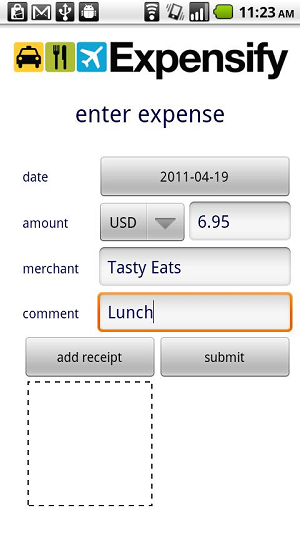
expensify

TripIt

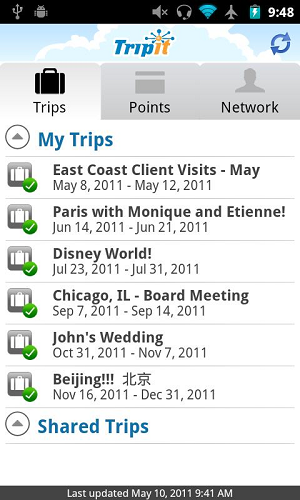
With TripIt, users can manage their travel plans, itineraries, track flights and share your travel plans with the rest of your team. You can get instant access to the entire trip planning information you might need while you’re traveling, even when you can’t connect to the Internet.
tripit

FlightTrack

With FlightTrack, get real time flight status and map tracking from airlines all over the world. It reminds you about the status of flights and the time when you must be at the airport.
flighttrack

Talk to Me

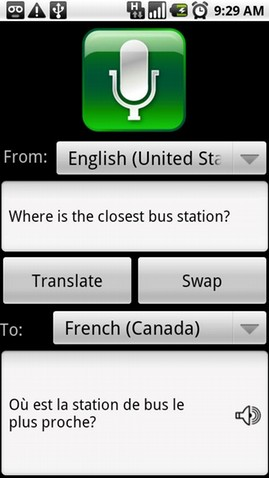
Talk To Me is an excellent speech recognition application for Android smartphones. You can translate into 7 different languages including English, Spanish, French, German, Italian, Spanish, Chinese and Japanese. Translation can even be sent via SMS and email as well.
talktome


Friday, February 25, 2011

7 Excellent Web Apps You Might Not Know About (But Should)

By AN Jay

Smashing Apps has been featured at Wordpress Showcase. If you like Smashing Apps and would like to share your love with us so you can click here to rate us.

 
There are many web apps out there, but getting by free and good ones is not that easy. That is why I am sharing The7 Excellent Web Apps You Might Not Know About (But Should). Read each entry in the list and see which tool suits your needs best.

Lockbin

Lockbin
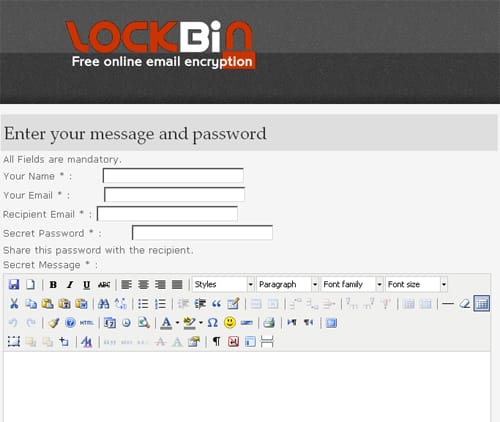
Lockbin is a free service for sending private email messages. You can use it to send things like credit card information or confidential information.

Colorhat

Colorhat
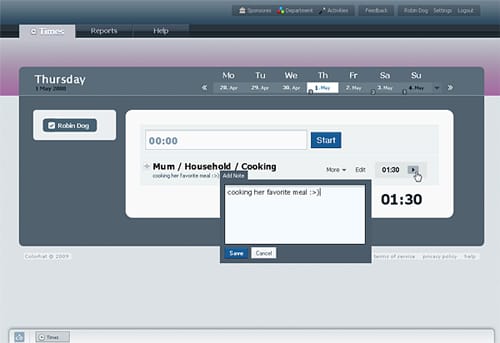
Colorhat is currently a time management and time tracking software. Whether you are a developer, designer, teacher, student, engineer, or just a person who wants to keep track of your training sessions or hobbies, You can use Colorhat.

NeedASig

NeedASig
NeedASig is one of the best free signature generator.  You can create beautiful and stylish email signatures and icons using NeedASig. It has more then 1500 different styles to choose from.

EmailTheWeb

EmailTheWeb
EmailTheWeb is the only web-based service that allows you to email any web page to any one. The entire web page is emailed in a flash and is captured as it is now. Your recipient will see the same exact page as you.

Free login to any site

free-login-2.jpg
This service is made for you to save your time on registration for many sites. You can not register at all sites, so just type the name of site for which you need to enter login and password and click «Get».

Temporary Inbox

Temporary Inbox
A temporary inbox is a disposable email address, which doesn’t require registration and can be used to avoid spam. Use this email address in forums, lotteries, erotic sites or wherever. The spammers will never find out your private email address. You can also use their forwarding email address to register at websites/boards/lotteries and so on.

pleasenotify.me

pleasenotify
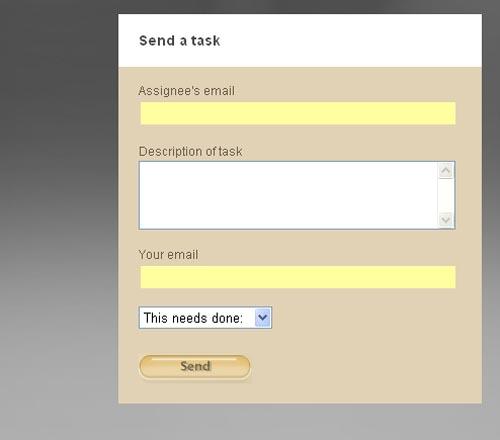
pleasenotify.me is a simple, free service to let you send tasks to people, and be notified when they’re done. You can use the form to email someone a task. If they don’t mark it complete by the time you specify, both of you will be notified. You’ll both be reminded daily until it’s finally completed. It’s the simplest project management imaginable.

Monday, March 1, 2010

iPhone House Controlling: Controlling Household Electronics With Your iPhone

From: http://www.ismashphone.com/

Integration and consolidation is the name of the game for all technology. It used to be the smaller the gadget the more chic, but now it is how many functions you can limit to just a few areas. It began with the monolithic home computer that began to allow you to watch movies and listen to music. As we began to port those functions to our portable devices and iPhones people saw the possibility for integrating functions only packed to the recesses of our imagination, or at least late night cable channels.

The iPhone has proven its ability to also act as a remote for limited features on your iTunes', but now outside developers are trying to break it out of the shell of tradition it has conventionally been trapped by. Home Automation, which is the integration of many electrical features in the home, may be the next step for bringing the iPhone into absolutely every area of daily life.

Home Automation can mean a number of different things, such as bringing together all the heating and cooling controls of your house or all the entertainment centers. Lighting is an area that is often difficult to conceive of for Home Automation as switches are found standard in most homes. X10 Home Automation has been developing technology for decades that can be used to basically control these power center in your home.

X10_300_logo

What the X10 Home Automation technology does is ask you to set a base controller, which as they state "can be any number of things including a simple plug-in device, a wireless remote or motion sensor and transceiver or even your PC." From there the information it sent to power lines to instruct the different functions on your electrical grid to do what your wish.

This sounds like a much more complicated process than it ends up being as you basically use different integrated product from X10 to create a network that is the size that you actually want. First you can purchase a device from X10 to connect directly to a light source, such as free standing lamp. There are a variety of these under the industry standard of X10 that transfer the information with radio frequency bursts.

X10_1

From there you get an X10 controller to connect to your computer, from which you use associated server piece on your computer so as to actually control the device attached to the light from your computer.

The final stage of the X10 Home Automation process is really to download and install their iPhone application that will connect to this software and then follow its controls down the line to the object you want to control. This iPhone application states you that you can control up to sixty items in your home right from your iPhone, but you have to have the proper X10 equipment for each device to make this work. What this iPhone application actually does is allows you to control all of these X10 devices through the central hub of the server piece, which then in turn control the home features they are attached to.

Photo

This is not cheap or incredibly easy, and once you actually purchase all of the X10 equipment you will have to go in and spend $9.99 on the iPhone application (X Commander). The price is not, however, the main thing that should be considered here (try MobiLinc Lite for free). If you will be able to make this work then you really have integrated the iPhone into your home operations in a way that is beyond what even the more high end users are doing. You may want to keep this limited to things like main lights, televisions, and garage doors at first, but after a while you may be able to even get kitchen appliances on board!

Luminair iphone light control app

Care to see advanced lighting control with iPhone? Check out Luminair app (DMX lighting control). You never know what kind of ambient light you will need in your dorm room or apartment. Keep in mind this app requires different set-up compare what we described above, not X10 but DMX.

Resources to get your iPhone home automation project started:

1. List of requirements for X Commander control software. Before you buy anything just make sure that you have everything organized and you understand requirements.

2. You can order components (controlers, X10 plugs, server) at x10.com. Word of caution they sell their stuff like late night infomertials with Crazy Eddie's flare

3. Learn more about DMX light control here. This is more expensive option for iPhone light control compare to X10, but you can see from the video above that results are amazing.

4. Read our article on How To Turn Your iPhone Into The Ultimate Remote

Thursday, June 4, 2009

Put All Your Rewards Cards On Your iPhone With CardStar

If you're sick of grocery store rewards cards clogging up your wallet, and you love whipping out your iPhone in public, have we've got an app for you. CardStar lets you punch in all your reward cards into your iPhone. At checkout, just click the CardStar icon, select the merchant from your saved list, and show the screen. They can scan the barcode right from the image. Usually $.99, the app is currently free for a limited time. A handy way for iPhone users to reduce clutter and fumbling for rewards cards when shopping.

CardStar [iTunes Store via ProBargainHunter]
Official Site

Thursday, January 8, 2009

Pandora iPhone App Hits 2.0, Gets Even Snazzier

By John Mahoney
Pandora's personalized internet radio player is one of our favorite iPhone apps—and tonight it got better, adding a snazzy Coverflow-like song history, bookmark previewing, in-line artist bios and a playback progress bar (finally).

You can also take your track-based stations (previously only generated via artist and e-mail them to friends, just like the artist stations (Update: Pandora says something here is new, but you folks are right, you could do this in the last version. Weird. The emailing bit is still true.) Artist biographies also show up inline now to supplement Pandora's ingenious descriptive tags.


The update is available now on iTunes, even though the App Store page still says version 1.2.1: [Pandora via TechCrunch, LifeHacker]