Zazzle Shop

Screen printing
Showing posts with label Apple iPhone videoconferencing. Show all posts

Wednesday, March 2, 2011

Apple officially introduces iPad 2: Dual-Core A5 chip, 33% thinner, same prices

By Rachel King

Summary

After months of waiting and speculation, Apple has officially unveiled the iPad 2 at a special press event in San Francisco today.


After months of waiting and speculation, Apple has officially unveiled the iPad 2 at a special press event in San Francisco today.
[Image Gallery: Apple's iPad 2 Event]
This story will be developing, but here’s what has been announced about the much-awaited tablet so far:
  • iOS 4.3
  • All new A5 chip with dual-core processors
  • 2x faster CPU
  • 9x faster graphics
  • Same power consumption rate as A4 chip
  • Dual cameras: Shoots 720p at up to 30fps on the rear and VGA stills on front-facing camera
  • 33% thinner body at 8.8mm
  • Weighs 1.3 pounds
  • Built-in gyroscope
  • Same 10-hour battery life
  • New apps optimized for iPad: iMovie, GarageBand, FaceTime, Photo Booth
And unlike the iPhone 4, CEO Steve Jobs promises that this device will ship in both black and white from day one, with both AT&T and Verizon as 3G carrier options.
While all of these are definite improvements, I’m sure many consumers (myself included) were hoping for a cost drop. However, most of the price tags will remain the same:
  • 16GB Wi-Fi: $499
  • 32GB Wi-Fi: $599
  • 64GB Wi-Fi: $699
  • 16GB Wi-Fi + 3G: $629
  • 32GB Wi-Fi + 3G: $729
  • 64GB Wi-Fi + 3G: $829

Best of all, the iPad 2 is set to launch on March 11, with 26 countries receiving the tablet by March 25. Maybe 2011 really will turn out to be the “year of the iPad 2.” We’re only two days in, but this is definitely going to be the “month of the iPad 2″ at the very least.

Jobs also debuted a few nifty accessories, including an HDMI 1080p output dongle for $39 and a bizarre-looking screen cover that can convert to prop up the iPad. That will be available in a rainbow assortment of colors in polyurethane and leather for $39 and $69 respectively.

This is all very exciting, so check back in a bit to see an evaluation and whether or not I will be buying one myself.

Friday, October 22, 2010

Apple Releases Public Beta Of FaceTime For Mac

Apple hosted a huge event in California this week, and it was all centered about the Mac. We figured by the look of the invite that software would be a huge part of the discussion, and indeed it was. One of the major introductions at the event surrounded FaceTime. That's Apple's own video calling software, and while it's definitely not new (Skype has enabled video chats for quite some time), it's one of the more fluid implementations. But there's just one major problem: it's only available between iPhone 4/iPod touch users.


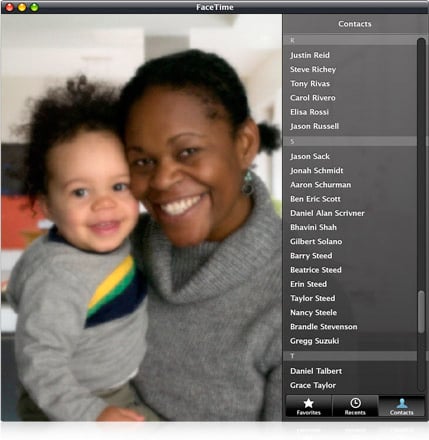
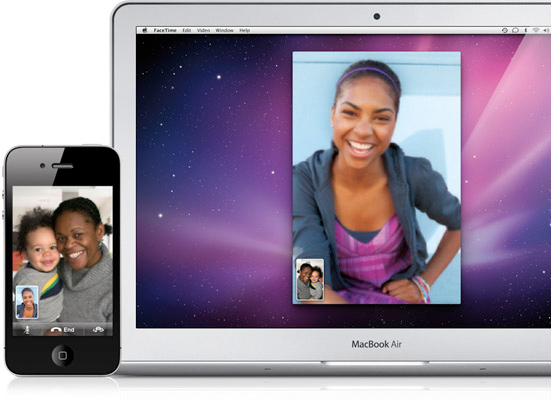
No longer. Apple today introduced the public beta of FaceTime for Mac, which is a standalone app that is separate from iChat and enables Mac users to video call iPhone 4 and iPod touch users as well as other Mac users. The app Mac automatically uses your Address Book contacts, and it works seamlessly with the built-in camera and mic on Mac notebooks, iMac and Apple LED Cinema Displays.

It's available to download today for free, but OS X 10.6 Snow Leopard is required. Give it a shot if you have been meaning to speak to your folks back in Canada. Or wherever they are.

Apple Brings FaceTime to the Mac

Macs Can Video Call Over 19 Million iPhone 4 & iPod touch Users

CUPERTINO, California—October 20, 2010—Apple® today announced the public beta of FaceTime® for Mac®, an entirely new application that allows Mac users to video call iPhone® 4 and iPod touch®* users as well as other Macs. Featuring an easy to use interface, FaceTime for Mac automatically uses your Address Book contacts so there’s no need to create special buddy lists, and it works seamlessly with the built-in camera and mic on Mac notebooks, iMac® and Apple LED Cinema Displays.

“FaceTime makes video calling to or from mobile devices easy for the first time,” said Steve Jobs, Apple’s CEO. “We’ve sold more than 19 million FaceTime-ready iPhone 4 and iPod touch devices in the past four months, and now those users can make FaceTime calls with tens of millions of Mac users.”

FaceTime for Mac requires Mac OS® X Snow Leopard® and is easy to set up with an Apple ID. The public beta is available immediately as a free download at www.apple.com/mac/facetime. 
Click here to find out more!

Thursday, October 14, 2010

FaceTime Alternatives – Yahoo Messenger And Tango

by: D Salmons
from: http://www.testfreaks.com/

When the iPhone 4 launched, one of the big draws was mobile video calling. Labeled “FaceTime”, Apple introduced a new standard with its release, and FaceTime works quite well. Integrated with the phone contacts, it has never been easier to use a video phone.

However, FaceTime has its limitations that may make it a less than convenient choice. The biggest problem, which may not be Apple’s fault, is that FaceTime works only on Wifi, 3G is not supported. That means if you are out with your iPhone and find the need to video chat, you will either have to hunt down a WiFi hot spot or you will not be video chatting.

Enter the FaceTime options. There are now two apps in particular on the official AppStore that allows 3GS and iPhone 4 owners to video chat without the need for FaceTime. What’s more, they even work on 3G, which allows the user to strike up a call anywhere they have coverage. These two apps are Yahoo Messenger and Tango. So, how do they compare? Let’s take a look.

Video Quality

FaceTimeAlts FaceTime Alternatives   Yahoo Messenger And Tango
Both Tango and Yahoo Messenger deliver a decent video experience, but Tango has a bigger video display, as shown above, on he left. Naturally you will find that a WiFi connection yields the best results, but in practical uses the video over 3G was easily watchable. I made a call from a local park the other day and the video clearly showed the kids playing, and the action was smooth enough to easily follow. In comparison the videos were of the same overall quality, if not the same size.

Ease of Use
Okay, this is where the differences shine. Or rather, Tango shines and Yahoo Messenger can be a pain. It took repeated attempts to get Yahoo Messenger to acknowledge that a call was coming in, and it would not handle the notifications correctly. Finally, by leaving the Messenger App forefront on the screen we could get repeatable results for testing.

Tango, on the other hand, always connected for us. Even if the receiving phone was off, a notification would alert the user, and with a swipe of the finger we were connected. At that point we are in an audio conversation, and touching the Tango button starts the video. I like the defaulting to audio just in case you don’t want to broadcast yourself in a given situation. Another cool feature is that Tango has a button for easily flipping between your front and back camera, and it alerts the other user while doing so. We were using a 3GS and an iPhone 4, and the software handled the different phones with no problem.

Desktop Connection
At first glance you would think that Yahoo Messenger would have a clear advantage since it could connect to desktop chat. And indeed we thought the same thing, and looked forward to trying out this feature. But, given the experience so far, we should have known better.

To start with, Yahoo Messenger on a Macbook simply refuses to work with video to the iPhone. The option is usually grayed out, and in the unlikely event that you have an active camera icon -  don’t get your hopes up – the phone will try to start a video conversation and bail out.

So, we tried it with the Windows platform. While we were less than pleased to have the Yahoo toolbar installed (we did opt out during Messenger installation, to no avail), it would have been forgivable if we could have used the messenger. Instead, the software repeatedly failed finding either the camera or the microphone on our test units. And, both of these use Skype on a regular basis, so it’s not exactly exotic hardware.
In the end we did get a video connection between the laptop and the iPhone, but audio was one direction only. And we had to initiate the call from the PC in order to connect. In a word, it was like we were messaging like it was 1999. It wasn’t pretty.

But as bad as the experience was, Tango has no desktop option. So, if you can get it working, Yahoo Messenger has the advantage here. That is, as long as you are not using a Mac.

Cross Platform
As of this writing, Tango users on the iPhone can video chat with Tango users on an Android. And Tango is working hard to bring it out to all major smartphones. You can’t do that with Yahoo Messenger, at least not yet. Tango gets the Nod.

So there you have it – FaceTime alternatives Tango and Yahoo Messenger. While the woes with Yahoo Messenger may be ironed out with a later release (we hope!), for right now my advice is this – check out Tango if you want 3G video calling. You won’t be disappointed.


Thursday, June 10, 2010

Apple's iPhone 4: What Buyers Need to Know

By: Chloe Albanesius
From: http://www.pcmag.com/

Apple's iPhone 4 is now official and will be in stores on June 24. Are video calling, a front-facing camera, and the iBooks app enough to make you buy one? If you're on the fence, or trying to figure out if you can afford to invest in Apple's latest gizmo, here's what you need to know about making the switch.

For more information and details of the new iPhone 4, check out our report of the launch of the Apple iPhone 4 as well as our hands on with the Apple iPhone 4.

How much will the iPhone 4 cost me?
The iPhone 4 will be offered in a 16 G-byte version and a 32GB version. For new and "upgrade eligible" customers who sign a two-year contract with AT&T, the 16-GB version will cost $199 and the 32-GB version will retail for $299.

Upgrades? I can't just buy a new iPhone 4?
In general, AT&T iPhone customers who spend more than $99 per month per line are eligible for an upgrade when they are between 12 and 18 months into their contract, so that AT&T doesn't lose money on the older iPhone model it has already subsidized. You're not locked out of a new iPhone, but if you do make the switch before your upgrade date, you'll pay $100 more than a new iPhone customer.

The good news is that Steve Jobs announced Monday that AT&T will subsidize iPhone customers upgrading to the iPhone 4 up to six months earlier than their current upgrade date. Now, if your upgrade date occurs before the end of 2010, you can buy the new iPhone 4 for $199 or $299.

How do I know if I'm "upgrade eligible"?
Check your status at att.com/iphone or dial *639#.

I'm not eligible. Boo. How much will the iPhone 4 cost me?
If you opt for an "early upgrade," the 16GB will cost $399 and the 32GB will sell for $499.

Any options if I don't want to deal with a two-year AT&T contract?
If you're not jazzed at the prospect of a two-year commitment to AT&T, the 16GB iPhone 4 will cost $599 and the 32GB will retail for $699.

What type of data plans are offered for the iPhone 4?
If you are switching from another carrier or upgrading to a smartphone, AT&T will offer its new tiered data plan. DataPlus will provide 200MB for $15 per month, while DataPro will allow up to 2GB per month for $25. For more information on AT&T's new plan, check out PCMag's guide.

If I already have AT&T, do I need to switch to a tiered data plan?
No. If you are an existing AT&T smartphone user, you don't need to switch to a new plan. You might want to ask specifically about this when talking with AT&T, however. I have a BlackBerry through AT&T, and I called on Monday afternoon to see if my bill would change at all if I upgraded to an iPhone 4 later this month. The customer service rep quoted me the new tiered data plans – 200MB for $15 or $25 for 2GB. When I pointed out that AT&T's iPhone 4 press release said that existing smartphone customers do not have to switch to a new plan, the rep said I was correct and could keep my plan. Granted it's the first day these reps are dealing with iPhone 4 questions, but when it comes to unlimited vs. tiered, I want my unlimited plan.

Any other charges?
Customers with an iPhone 4, iPhone 3GS, or iPhone 3G can add tethering for an extra $20 per month. If you're on a family plan, you can add another line starting at $24.99.

When can I get it?
The iPhone 4 will be available in Apple and AT&T retail stores on June 24. Customers can start pre-ordering the devices on June 15 on the AT&T and Apple Web sites.

The iPhone 4 is a bit pricey. Any deals on older models?
Yes, new and upgrade eligible customers can get the 8-GB version of the iPhone 3GS for $99 with a contract. Early upgraders will pay $299, and those who don't sign a two-year contract with AT&T can get the 8GB iPhone 3GS for $499.

Complete iPhone Coverage
http://go.pcmag.com/iphone

Wednesday, December 16, 2009

Apple Enables Video on iPhone 2G and 3G


Apple Enables Video on iPhone 2G and 3G [updated]

Apple has enabled owners of its older 2G and 3G handsets to record video by admitting the new iVideoCamera app to the iTunes store. [as well as the UStream Broadcaster app for 3G handsets - update at foot of post]

Users can now legitimately record, share and save videos without having to ‘jailbreak‘ their handsets.

As reported on the Apple Blog, the app comes in at only 99 cents in the US store, and has similar entry-level pricing in other iTunes stores around the world.

Adding this third party application to an iPhone 2G or 3G handset means that there is even less incentive to move up to the 3GS model and may prompt those coming up to the end of their contracts to wait and see what iPhone news Apple has to announce in the spring before committing to an upgrade path.

Beware though, there are some significant limits to the app, and it is not helped by the camera installed in 2G and 3G iPhones. The app itself can only capture video at a maximum of three frames per second… far behind the 30 frames per second capacity of the 3GS. Quality is, therefore, limited as is the resolution which comes in at 160 x 213, compared to 640 x 480 on the 3GS.

On the upside, whilst there is no opportunity to share on Twitter yet, videos can be quickly uploaded to YouTube, Facebook and Vimeo from within the app itself.

Development team Laan Labs, creators of the iVideoCamera app, promise improved frame rates and quality in forthcoming releases.

UPDATE: The UStream Broadcaster app is another newcomer to the store and is available free. The app enables live streaming of video from 3G handsets or better over 3G and WiFi. Sadly, there’s no support for 2G iPhones, but 3G owners can enjoy live chat whilst broadcasting, as well as the ability to share on Twitter when going live.

Hat-tip to @technicalfault for the heads-up on UStream.

Wednesday, February 4, 2009

Next Generation iPhone May Have Videoconferencing, At Last

Given Apple's focus on videoconferencing with iChat AV, I always found strange that there wasn't a front camera in the iPhone. Looking at their gigantic iPhone patent, it may be coming in the next generation:

"In some embodiments, the functions may include telephoning, video conferencing, e-mailing, instant messaging, blogging, digital photographing, digital videoing, Web browsing, digital music playing, and/or digital video playing. Instructions for performing these functions may be included in a computer-readable storage medium or other computer program product configured for execution by one or more processors."

"In some embodiments, an optical sensor is located on the back of the device, opposite the touch screen display on the front of the device, so that the touch screen display may be used as a viewfinder for either still and/or video image acquisition. In some embodiments, an optical sensor is located on the front of the device so that the user's image may be obtained for videoconferencing while the user views the other video conference participants on the touch screen display. In some embodiments, the position of the optical sensor can be changed by the user (e.g., by rotating the lens and the sensor in the device housing) so that a single optical sensor may be used along with the touch screen display for both video conferencing and still and/or video image acquisition."

Most probably, it was shaved from the first version for the same reason 3G was avoided: Cost. My guess is that, as manufacturing prices went down, Apple added the GPS and 3G. And next in the Big Features list, is videoconferencing (late, as almost every other 3G phone in the market has this feature already). [PC World]