
Zazzle Shop

Screen printing
Showing posts with label videoconferencing. Show all posts

Friday, October 22, 2010

Apple Releases Public Beta Of FaceTime For Mac

Apple hosted a huge event in California this week, and it was all centered about the Mac. We figured by the look of the invite that software would be a huge part of the discussion, and indeed it was. One of the major introductions at the event surrounded FaceTime. That's Apple's own video calling software, and while it's definitely not new (Skype has enabled video chats for quite some time), it's one of the more fluid implementations. But there's just one major problem: it's only available between iPhone 4/iPod touch users.
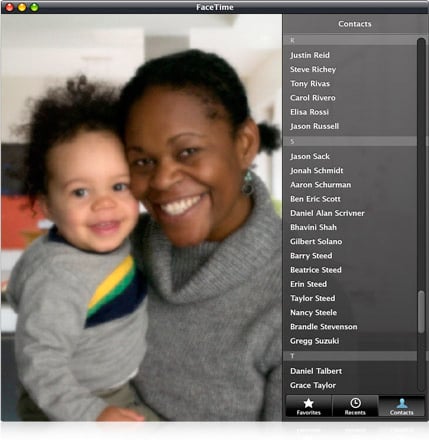

No longer. Apple today introduced the public beta of FaceTime for Mac, which is a standalone app that is separate from iChat and enables Mac users to video call iPhone 4 and iPod touch users as well as other Mac users. The app Mac automatically uses your Address Book contacts, and it works seamlessly with the built-in camera and mic on Mac notebooks, iMac and Apple LED Cinema Displays.

It's available to download today for free, but OS X 10.6 Snow Leopard is required. Give it a shot if you have been meaning to speak to your folks back in Canada. Or wherever they are.
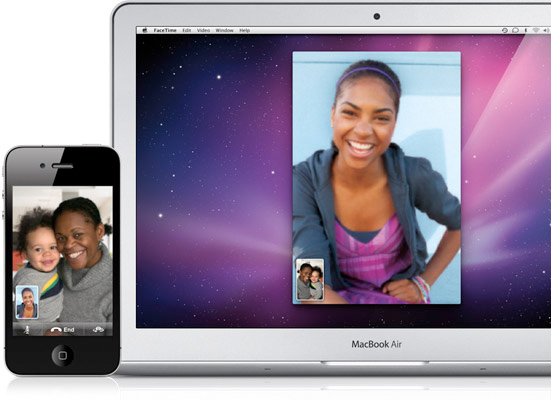
Apple Brings FaceTime to the Mac

Macs Can Video Call Over 19 Million iPhone 4 & iPod touch Users

CUPERTINO, California—October 20, 2010—Apple® today announced the public beta of FaceTime® for Mac®, an entirely new application that allows Mac users to video call iPhone® 4 and iPod touch®* users as well as other Macs. Featuring an easy to use interface, FaceTime for Mac automatically uses your Address Book contacts so there’s no need to create special buddy lists, and it works seamlessly with the built-in camera and mic on Mac notebooks, iMac® and Apple LED Cinema Displays.

“FaceTime makes video calling to or from mobile devices easy for the first time,” said Steve Jobs, Apple’s CEO. “We’ve sold more than 19 million FaceTime-ready iPhone 4 and iPod touch devices in the past four months, and now those users can make FaceTime calls with tens of millions of Mac users.”

FaceTime for Mac requires Mac OS® X Snow Leopard® and is easy to set up with an Apple ID. The public beta is available immediately as a free download at www.apple.com/mac/facetime. 
Click here to find out more!

Thursday, October 14, 2010

FaceTime Alternatives – Yahoo Messenger And Tango

by: D Salmons
from: http://www.testfreaks.com/

When the iPhone 4 launched, one of the big draws was mobile video calling. Labeled “FaceTime”, Apple introduced a new standard with its release, and FaceTime works quite well. Integrated with the phone contacts, it has never been easier to use a video phone.

However, FaceTime has its limitations that may make it a less than convenient choice. The biggest problem, which may not be Apple’s fault, is that FaceTime works only on Wifi, 3G is not supported. That means if you are out with your iPhone and find the need to video chat, you will either have to hunt down a WiFi hot spot or you will not be video chatting.

Enter the FaceTime options. There are now two apps in particular on the official AppStore that allows 3GS and iPhone 4 owners to video chat without the need for FaceTime. What’s more, they even work on 3G, which allows the user to strike up a call anywhere they have coverage. These two apps are Yahoo Messenger and Tango. So, how do they compare? Let’s take a look.

Video Quality

FaceTimeAlts FaceTime Alternatives   Yahoo Messenger And Tango
Both Tango and Yahoo Messenger deliver a decent video experience, but Tango has a bigger video display, as shown above, on he left. Naturally you will find that a WiFi connection yields the best results, but in practical uses the video over 3G was easily watchable. I made a call from a local park the other day and the video clearly showed the kids playing, and the action was smooth enough to easily follow. In comparison the videos were of the same overall quality, if not the same size.

Ease of Use
Okay, this is where the differences shine. Or rather, Tango shines and Yahoo Messenger can be a pain. It took repeated attempts to get Yahoo Messenger to acknowledge that a call was coming in, and it would not handle the notifications correctly. Finally, by leaving the Messenger App forefront on the screen we could get repeatable results for testing.

Tango, on the other hand, always connected for us. Even if the receiving phone was off, a notification would alert the user, and with a swipe of the finger we were connected. At that point we are in an audio conversation, and touching the Tango button starts the video. I like the defaulting to audio just in case you don’t want to broadcast yourself in a given situation. Another cool feature is that Tango has a button for easily flipping between your front and back camera, and it alerts the other user while doing so. We were using a 3GS and an iPhone 4, and the software handled the different phones with no problem.

Desktop Connection
At first glance you would think that Yahoo Messenger would have a clear advantage since it could connect to desktop chat. And indeed we thought the same thing, and looked forward to trying out this feature. But, given the experience so far, we should have known better.

To start with, Yahoo Messenger on a Macbook simply refuses to work with video to the iPhone. The option is usually grayed out, and in the unlikely event that you have an active camera icon -  don’t get your hopes up – the phone will try to start a video conversation and bail out.

So, we tried it with the Windows platform. While we were less than pleased to have the Yahoo toolbar installed (we did opt out during Messenger installation, to no avail), it would have been forgivable if we could have used the messenger. Instead, the software repeatedly failed finding either the camera or the microphone on our test units. And, both of these use Skype on a regular basis, so it’s not exactly exotic hardware.
In the end we did get a video connection between the laptop and the iPhone, but audio was one direction only. And we had to initiate the call from the PC in order to connect. In a word, it was like we were messaging like it was 1999. It wasn’t pretty.

But as bad as the experience was, Tango has no desktop option. So, if you can get it working, Yahoo Messenger has the advantage here. That is, as long as you are not using a Mac.

Cross Platform
As of this writing, Tango users on the iPhone can video chat with Tango users on an Android. And Tango is working hard to bring it out to all major smartphones. You can’t do that with Yahoo Messenger, at least not yet. Tango gets the Nod.

So there you have it – FaceTime alternatives Tango and Yahoo Messenger. While the woes with Yahoo Messenger may be ironed out with a later release (we hope!), for right now my advice is this – check out Tango if you want 3G video calling. You won’t be disappointed.

Wednesday, February 4, 2009

Next Generation iPhone May Have Videoconferencing, At Last

Given Apple's focus on videoconferencing with iChat AV, I always found strange that there wasn't a front camera in the iPhone. Looking at their gigantic iPhone patent, it may be coming in the next generation:

"In some embodiments, the functions may include telephoning, video conferencing, e-mailing, instant messaging, blogging, digital photographing, digital videoing, Web browsing, digital music playing, and/or digital video playing. Instructions for performing these functions may be included in a computer-readable storage medium or other computer program product configured for execution by one or more processors."

"In some embodiments, an optical sensor is located on the back of the device, opposite the touch screen display on the front of the device, so that the touch screen display may be used as a viewfinder for either still and/or video image acquisition. In some embodiments, an optical sensor is located on the front of the device so that the user's image may be obtained for videoconferencing while the user views the other video conference participants on the touch screen display. In some embodiments, the position of the optical sensor can be changed by the user (e.g., by rotating the lens and the sensor in the device housing) so that a single optical sensor may be used along with the touch screen display for both video conferencing and still and/or video image acquisition."

Most probably, it was shaved from the first version for the same reason 3G was avoided: Cost. My guess is that, as manufacturing prices went down, Apple added the GPS and 3G. And next in the Big Features list, is videoconferencing (late, as almost every other 3G phone in the market has this feature already). [PC World]
